

How To: Transfer a Mentoring Request to Another Chapter

Last updated: Feb 02, 2026
355
views

Audience: Client Intake Coordinators
If a client is located outside of your chapter’s service area or if the client requests to be transferred, you can transfer the request to a different chapter by following the steps below.
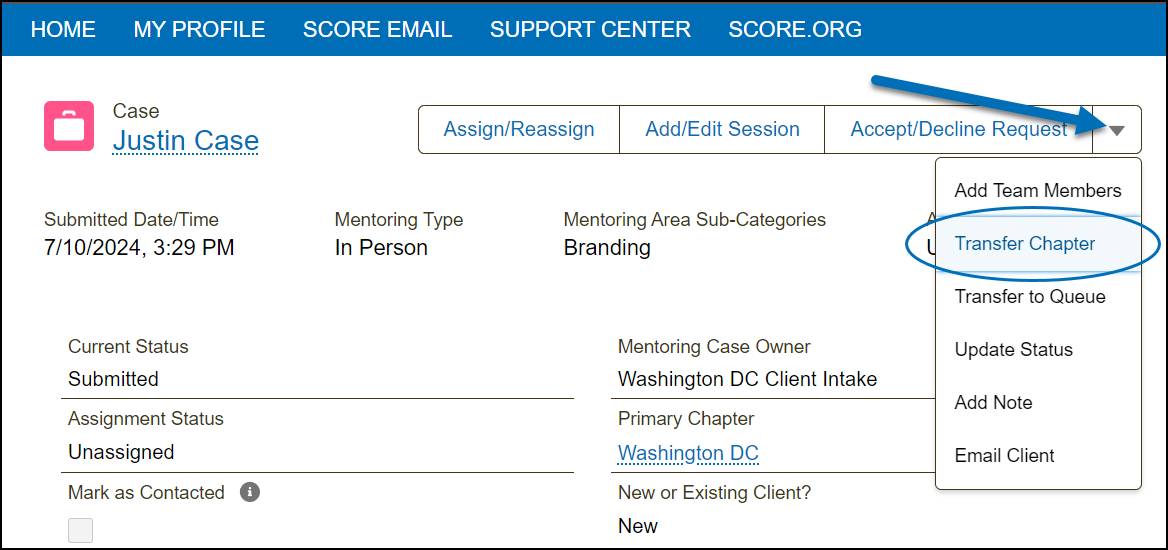
1) In the Mentoring Request Case, click the drop-down arrow  then select "Transfer Chapter" from the drop-down list.
2) Select the chapter queue by clicking the field. Enter a note explaining why the mentoring request is being transferred, then click "Next".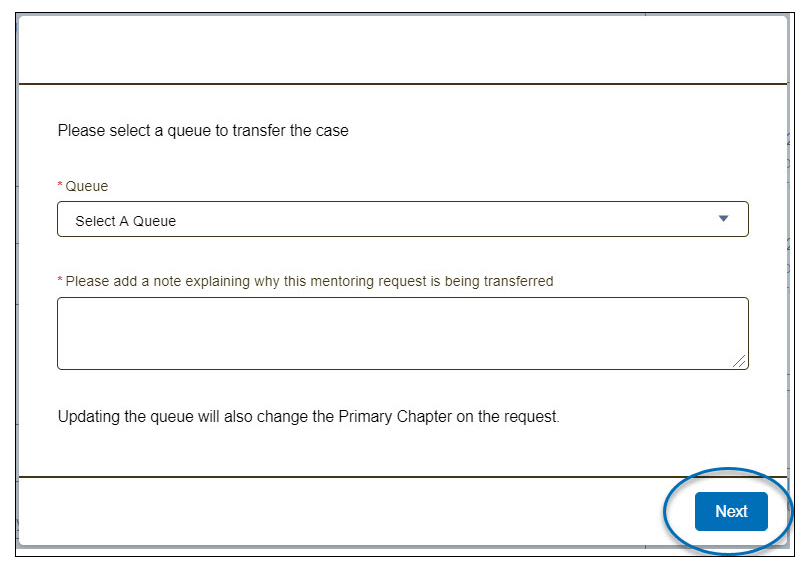
The mentoring request case will be transferred to the selected chapter, and the corresponding Client Intake Coordinator will be notified. It will no longer appear in your chapter's Client Intake queue.

