



 0
0
SCORE is a nonprofit organization dedicated to helping small businesses launch, grow, and achieve their goals through education and mentorship. With a wealth of resources—including mentoring services, workshops, templates, and more—SCORE.org is a valuable tool for entrepreneurs and small business owners. This guide will help you navigate and effectively search for the information and support you need on SCORE.org.
Table of Contents:
Search Features
SCORE.org offers robust search functionalities to help you find exactly what you're looking for. These include:
- Global Search: A comprehensive search that scans the entire website for your query.
- Navigational Search: Specialized search options within specific sections such as "Find a Mentor," "Workshops & Events," "Templates & Resources," "Volunteer," "About," and "Individual Chapters."
Global Search Steps
To perform a search on SCORE.org, follow these general steps:
1. Locate the Search Bar
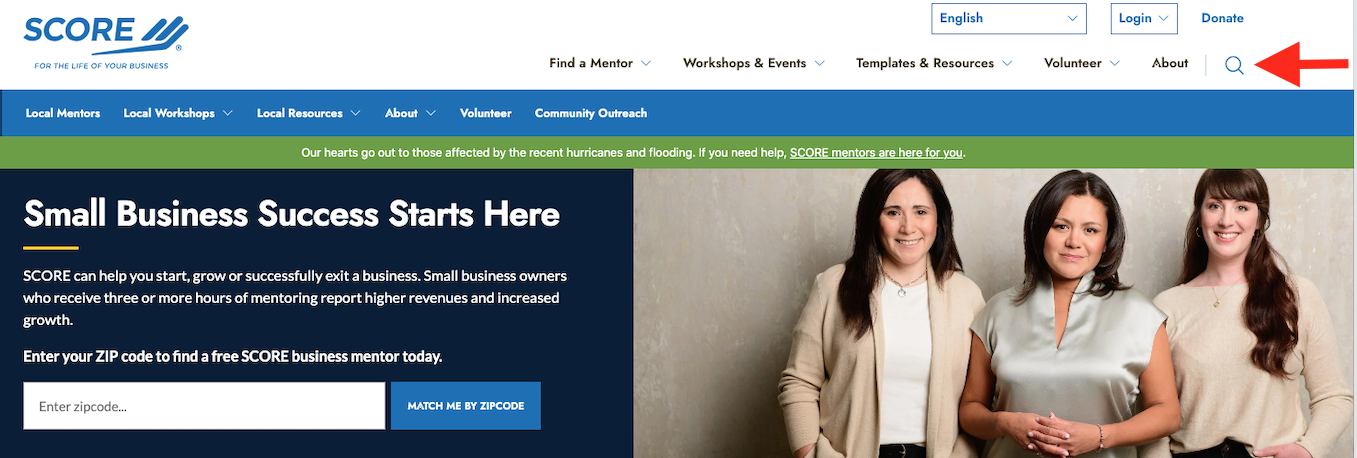
- Global Search Bar: Found at the top-right corner of every page, represented by a magnifying glass icon or a search box.
2. Type in the Search Query
- Enter specific keywords related to the information you're seeking.
Examples:- "Business plan template"
- "Social media marketing strategies"
- "Financial management webinar"
3. Click Enter
- Press the Enter key or click the search icon to initiate the search.
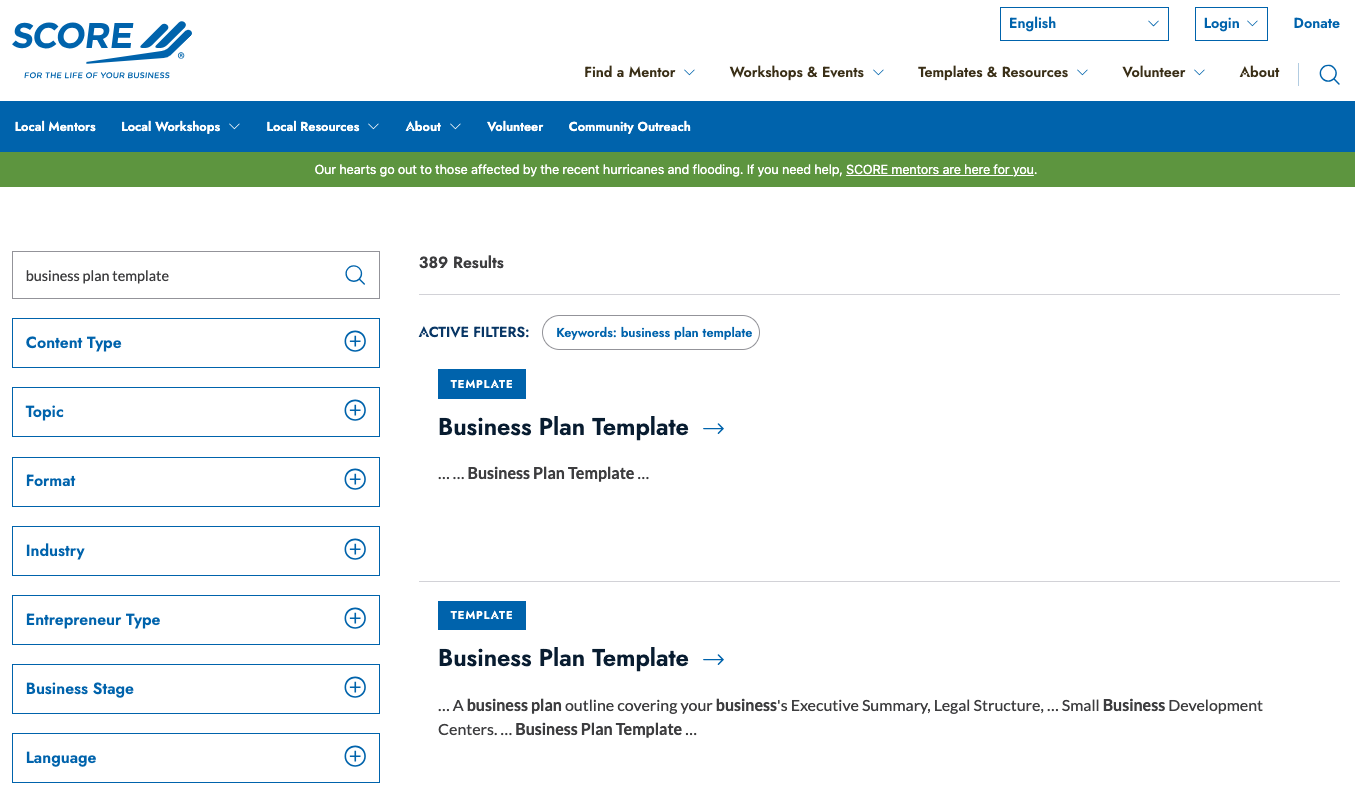
4. Review Search Results
- A list of results relevant to your query will appear, categorized by resource type such as articles, templates, events, or mentor profiles.
5. Refine Search if Needed
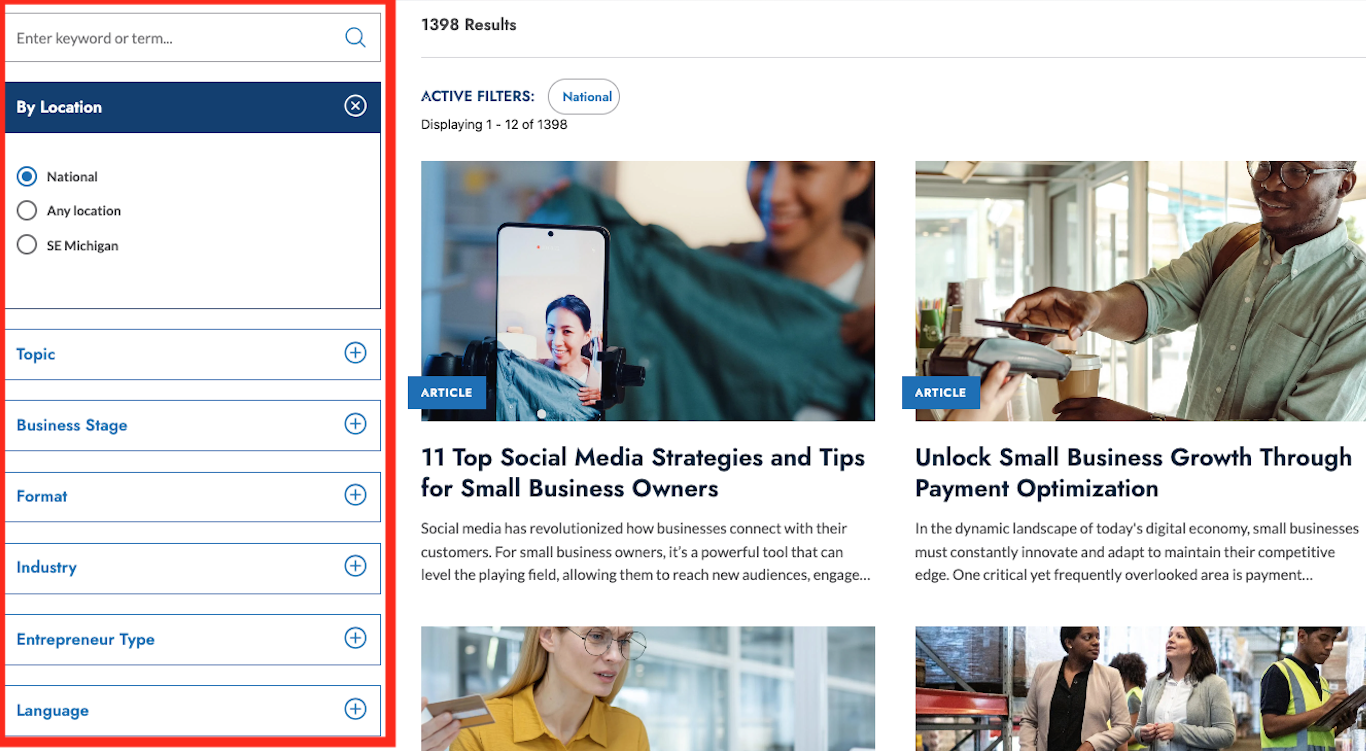
- If the results are too broad or not what you expected, use filters or modify your keywords to narrow down the search. You can narrow your search by the following:
- Content Type
- Topic
- Format
- Industry
- Entrepreneur Type
- Business Stage
- Language
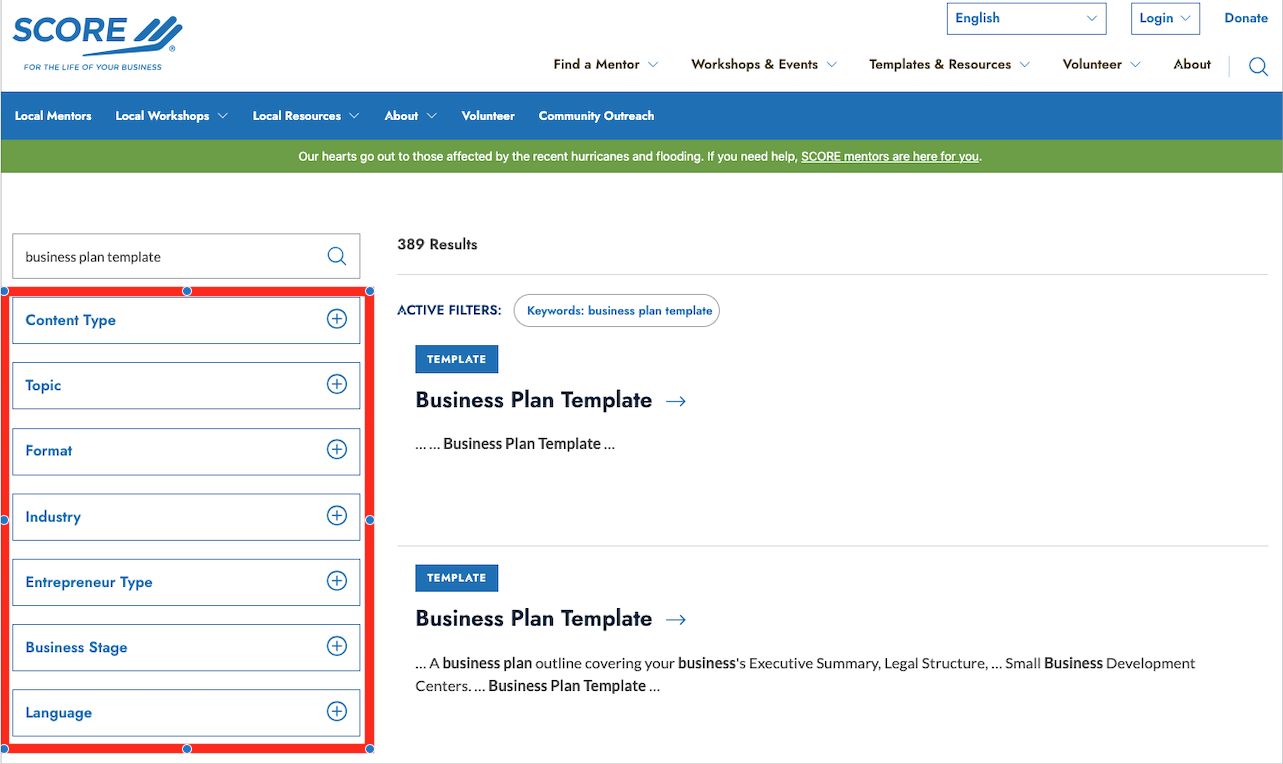
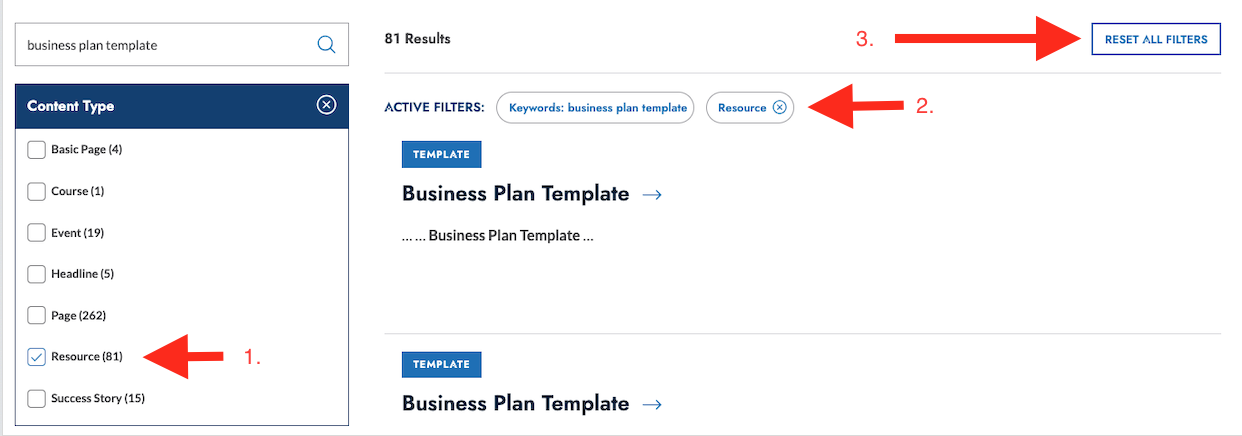
- Expand each filter by clicking on it. You can then select the additional filters.
- You will see the current filters here.
- Reset All Filters will remove the current filters and let you start over.
6. Click on Search Results to View the Full Content
- Select the most relevant result to access detailed information, download resources or register for events.
Navigational Search
Find a Mentor
Connecting with a mentor is one of the most valuable services SCORE offers.
- How to Use:
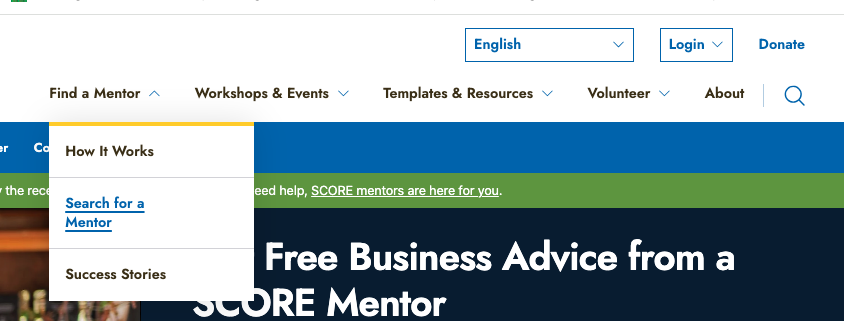
- Click on "Search for a Mentor" in the main navigation menu (under “Find a Mentor”.
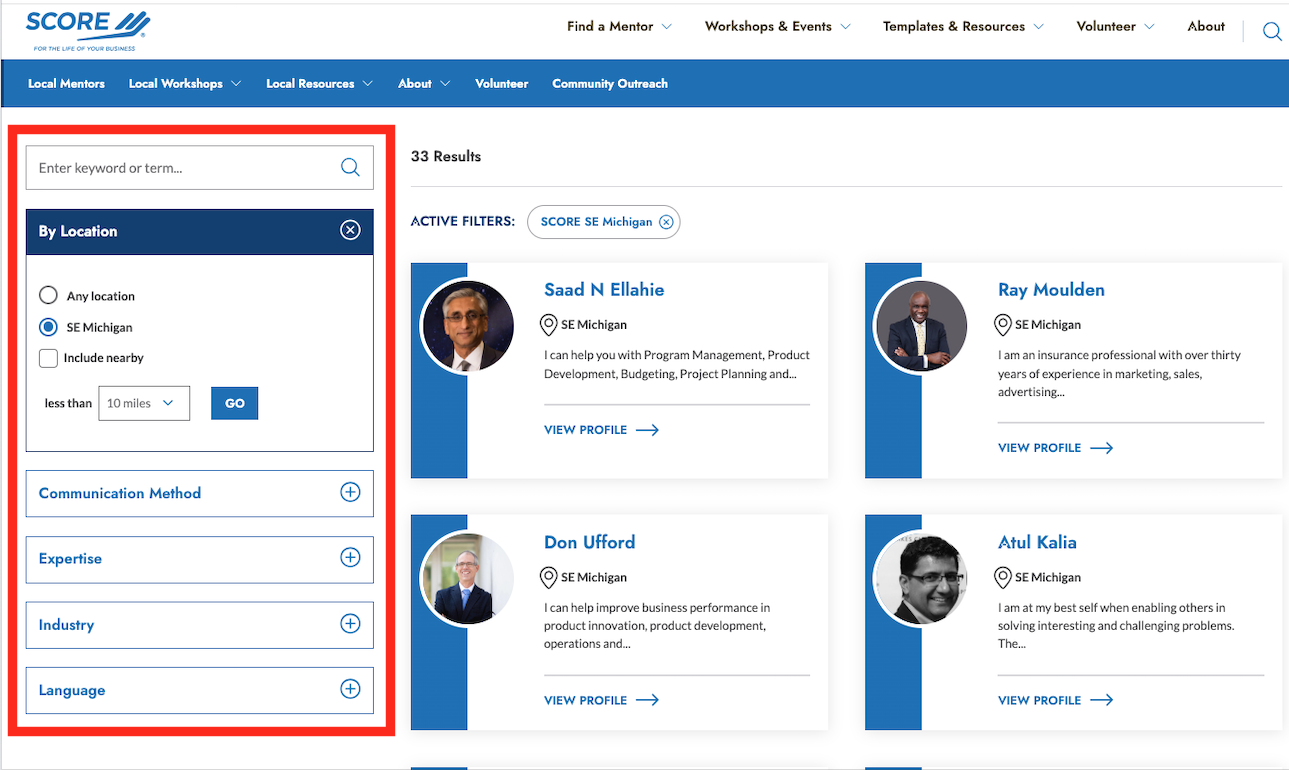
- Use the search options to filter mentors by industry expertise, business skill, language, or location.
- Example Searches:
- Searching for mentors with expertise in "e-commerce."
- Looking for a mentor who speaks "Spanish."
- Finding mentors available for "virtual mentoring."
Workshops & Events
Stay informed about upcoming educational opportunities.
- How to Use:
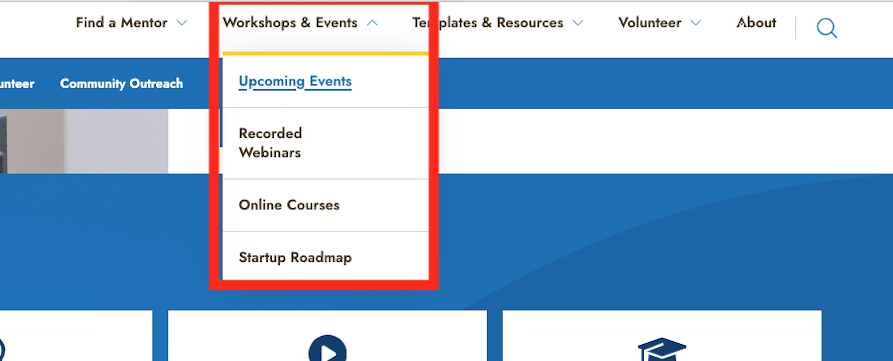
- Navigate to "Workshops & Events" and select one of the following:
- Upcoming Events
- Recorded Webinars
- Online Courses
- Startup Roadmap
- Navigate to "Workshops & Events" and select one of the following:
- For Live and Recorded Webinars
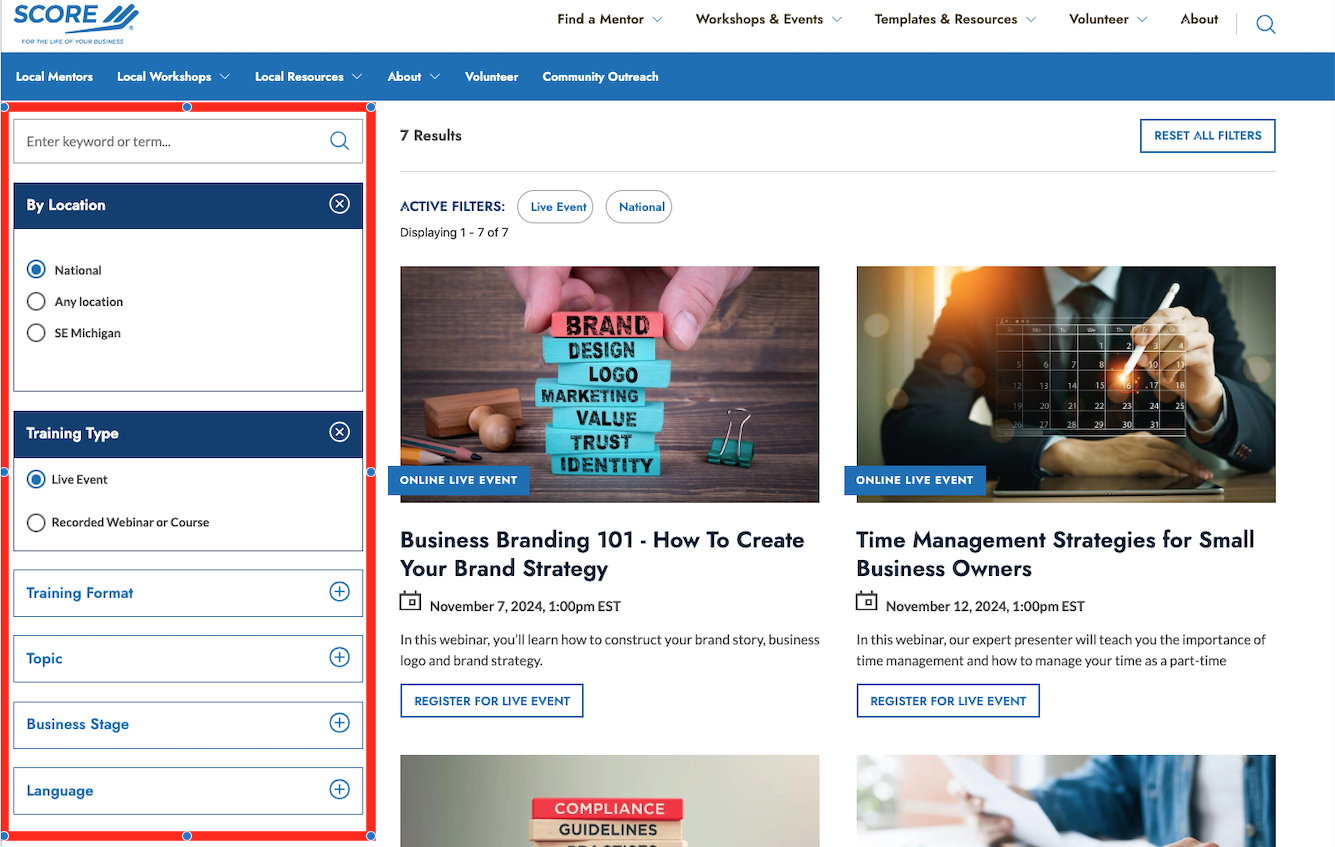
- Use filters to sort events by search term, location, topic, business stage, training type (live or recorded) or language.
Templates & Resources
Access a library of downloadable business tools and educational materials.
- How to Use:
- Click on "Templates & Resources" in the main menu.

- Search by keyword or filter by:
- Topic
- Business Stage
- Format
- Industry
- Entrepreneur Type
- Language
- Example Searches:
- "Cash flow statement template"
- "Market analysis worksheet"
- "Employee onboarding checklist"
About
Find detailed information about SCORE's mission, history, and impact.
- How to Use:
- Click on "About" in the main menu.

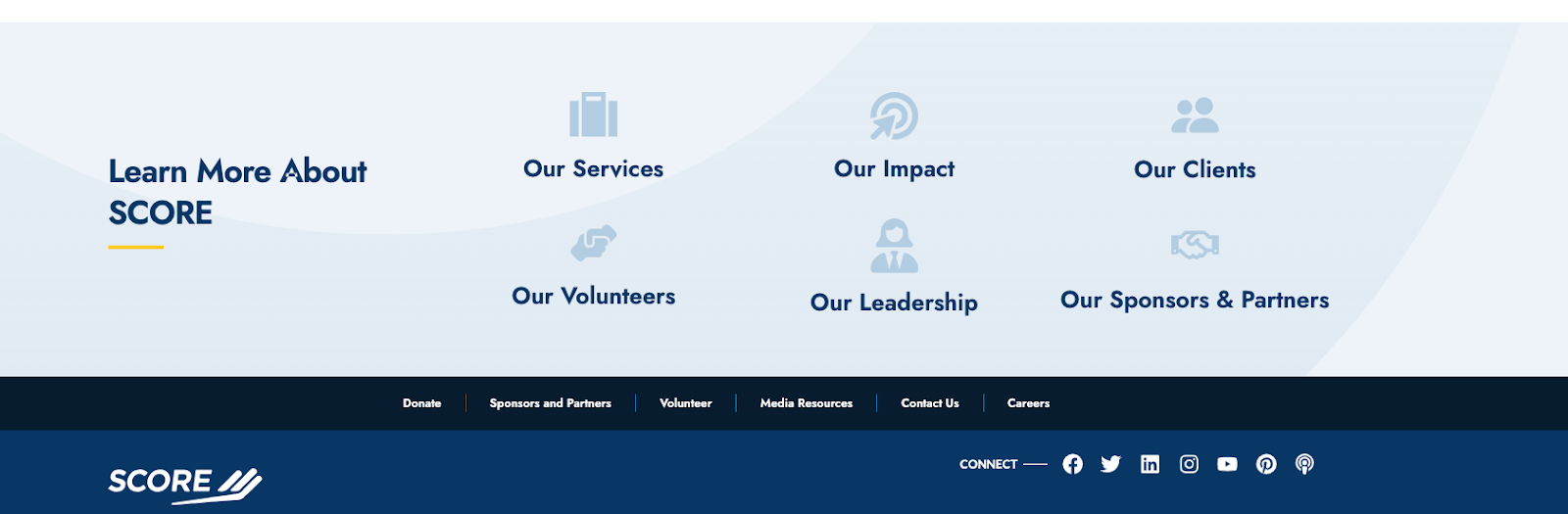
- Scroll to the bottom of the page, and select from:
- Our Services
- Our Impact
- Our Clients
- Our Volunteers
- Our Leadership
- Our Sponsors & Partners
Individual Chapters
Find individual chapters on SCORE.
- How to Use:
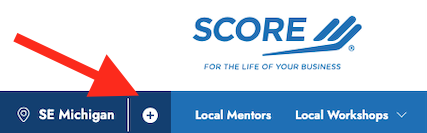
- Click on "Enter your zip to see local resources, events and mentors"

- or the “+” symbol if you are already on a chapter.
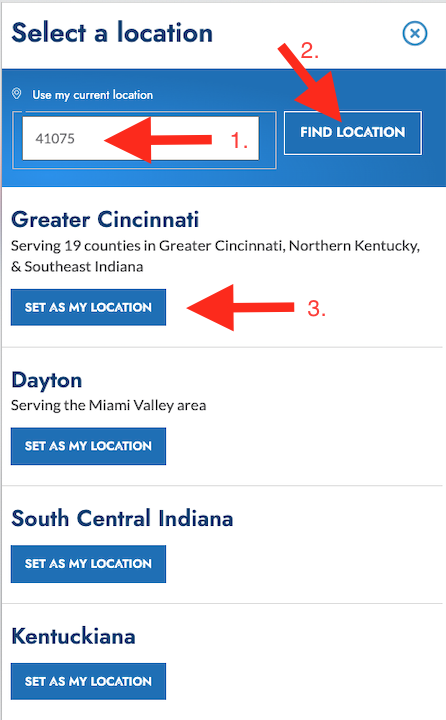
- Enter a zipcode or location in the search field.
- Click the “Find Location” button.
- You will now see a list of results for the location. Select the appropriate one.
Tips for Effective Searching
- Use Specific Keywords: The more precise your search terms, the more relevant your results will be.
- Utilize Filters: Apply filters like resource type, date, location, and industry to narrow down your search results.
- Try Different Sections: If you can't find what you're looking for globally, try searching within specific sections like "Templates & Resources" or "Workshops & Events."
- Stay Updated: New resources and events are added regularly; check back often.
- Reach Out for Help: If you're having trouble finding something, don't hesitate to contact SCORE for assistance.

