



 2
2
As an Interviewer, you assess a prospective volunteer's application in Engage. This guide explains how to access your assigned interviews, submit your recommendation, and stay on track with timeline expectations.
- Becoming an Interviewer - find out how one becomes an Interviewer
- Accessing Assigned Interviews – how to find your assigned interviews
- Submitting Disposition – how to accept or reject an applicant
- Interview Completion Timeline & Reminders – deadlines and automated notifications
Becoming an Interviewer
-
From the Engage homepage, click Access Online Learning.
-
On the learning platform, click All Courses, then go to page 2 to view role-specific orientation courses.
-
Select the orientation for your role (e.g., Interviewer, Coach, Co-Mentor).
-
Click Register if prompted, then click Start to begin the course.
-
Click the module link to launch the training in a new tab.
-
After completing the training, close the tab. Your progress will show 100%.
-
(Optional) Check your Engage profile; a checked box shows you've completed the role orientation training.
Accessing Your Assigned Interviews
Once the Regional Volunteer Intake Coordinator (RVIC) assigns you as an interviewer:
- Log in to Engage.
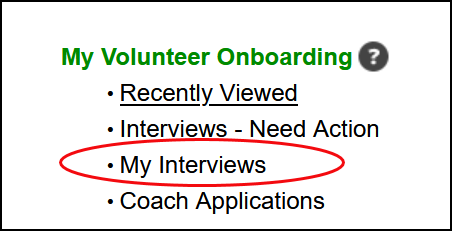
- From the Engage homepage, click My Interviews.
-
Locate the interview record you want to manage and click View.

Submitting Your Disposition
After the interview, you must record your decision in Engage.
- Open the interview record (see steps above).
- Click Update Interview.
-
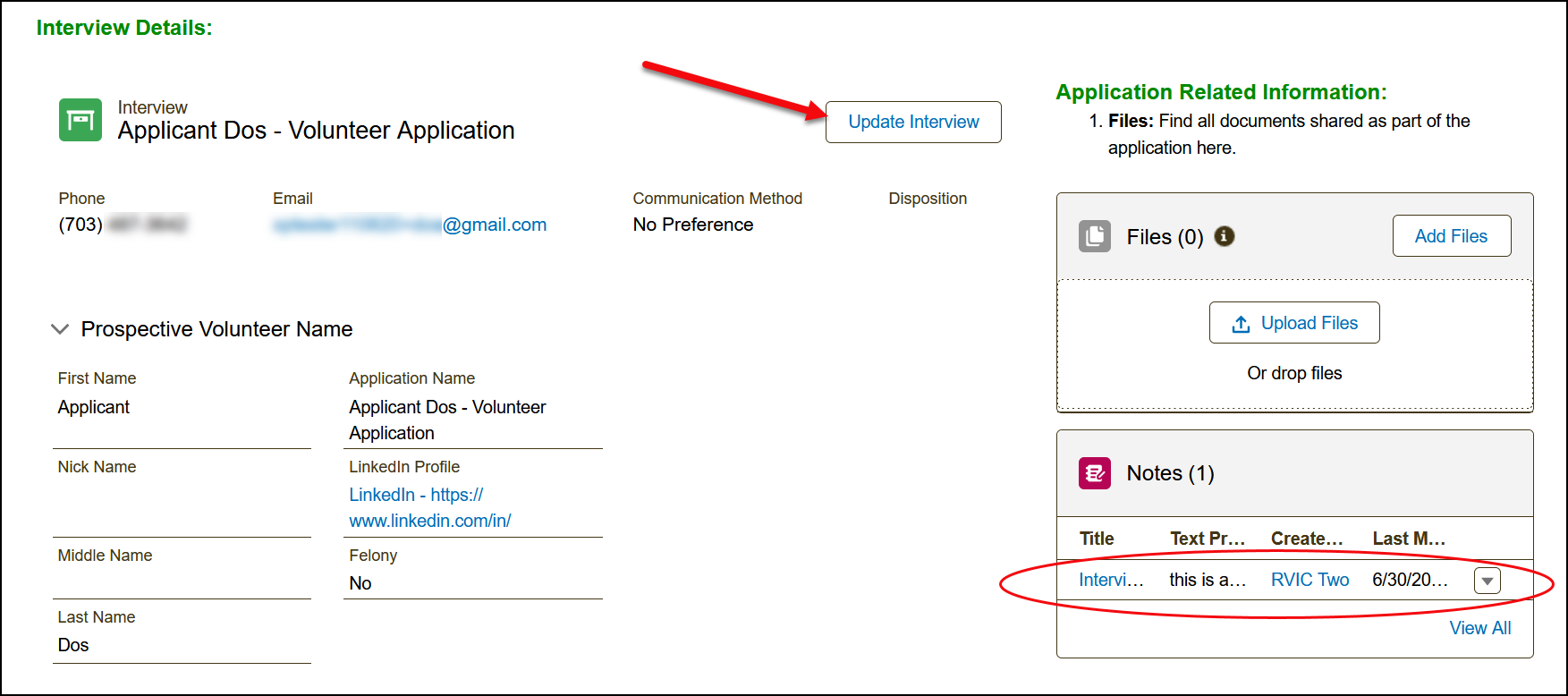
➤ Tip: You may also view any notes added by the Regional Volunteer Intake Coordinator (RVIC) in the Notes section of the application record.
-
- In the form:
- Check the appropriate boxes.
- Enter the meeting date and type.
- Add any comments.
- Select your final recommendation: Accept or Reject.
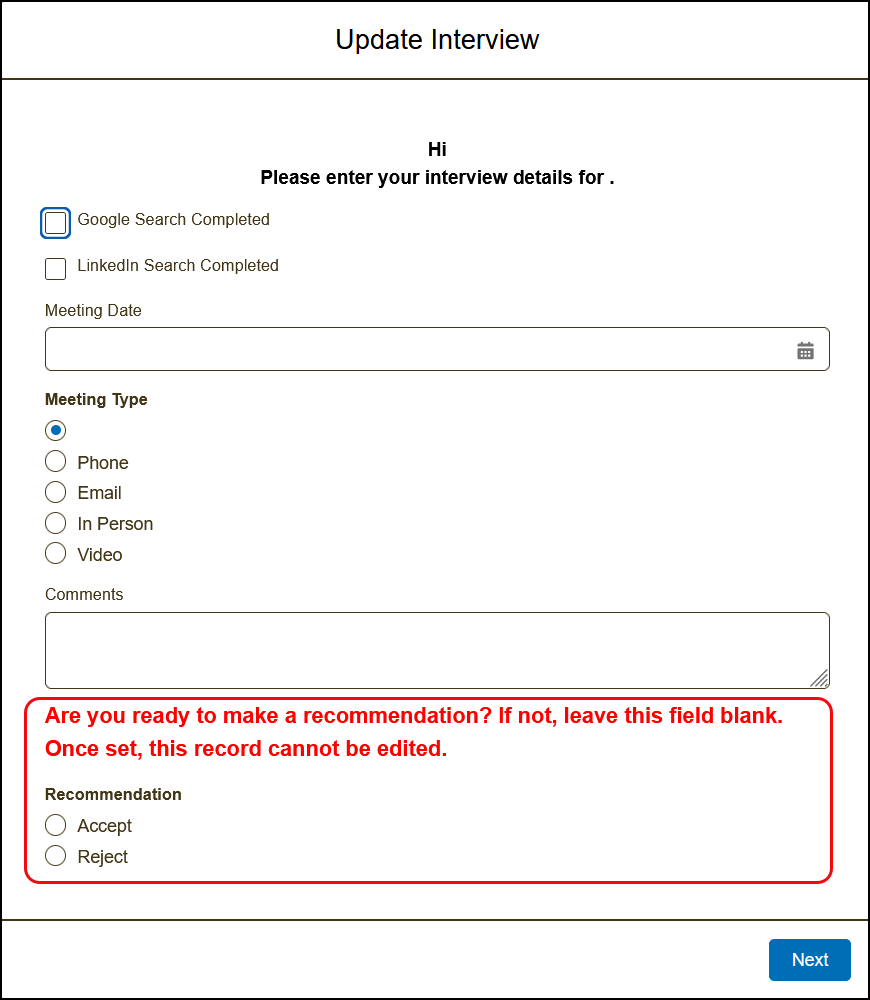
4. Click Next to save your decision and complete the process.
Interview Completion Timeline & Reminders
- Interviews must be completed within 5 days of the assignment.
- You will receive an automated reminder email if you haven't completed your interview within 5 days.
- You may receive multiple reminders for delayed interviews.
- Sometimes, the RVIC may replace an interviewer if the interview remains incomplete.
Related Resource
View the full list of Engage system notifications related to the Volunteer Journey Notifications. (SVO login required)

